


Power Apps - Embed a Canvas App into a Model-driven App Redux

Last year Microsoft released the ability to embed canvas apps into Model-driven Apps into general availability and also improved on the preview features they’d previously released. I wrote an article about an unsupported method to embed canvas apps 2 years ago, so I thought it was time to update the blog with the official instructions.
Firstly, at time of writing, this can only be done in the Classic form editor, not the new one. Go to the entity and form that you want to add the canvas app onto. Canvas apps are a custom control that you can apply to a field, so your first decision is what field you want to replace; however, you can also apply the custom control to a subgrid as well. I’ve generally had problems working with subgrids so putting this on a text field is better. You should also ensure the field you are putting the control on is a required field, as if the field does not contain data, the canvas app will not refresh when data on the Model-driven form is updated.
Open the field, navigate to the controls tab, click add control and choose canvas app. Then click customise and you will be taken to the canvas app editor.

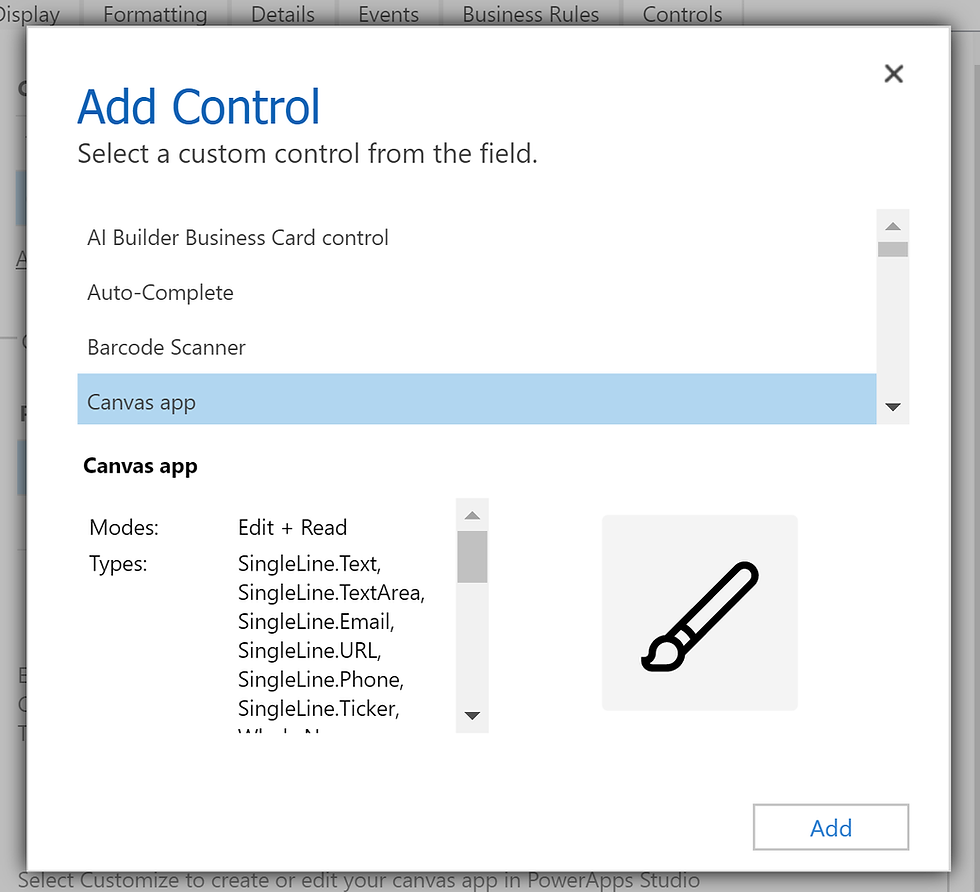

On the canvas app editor, you can create and customise your canvas app how you like. The important part of the canvas app is the ModelDrivenFormIntegration control which is available when you connect a canvas app to CDS using this method. If you create a canvas app outside of this process, it will not have this control.

Once you have built your canvas app, you can save and publish it. If you go back to your form, you will now see the App ID is filled in for your canvas app. Save and publish your form and you can see it when you create a new record or go to an existing record.
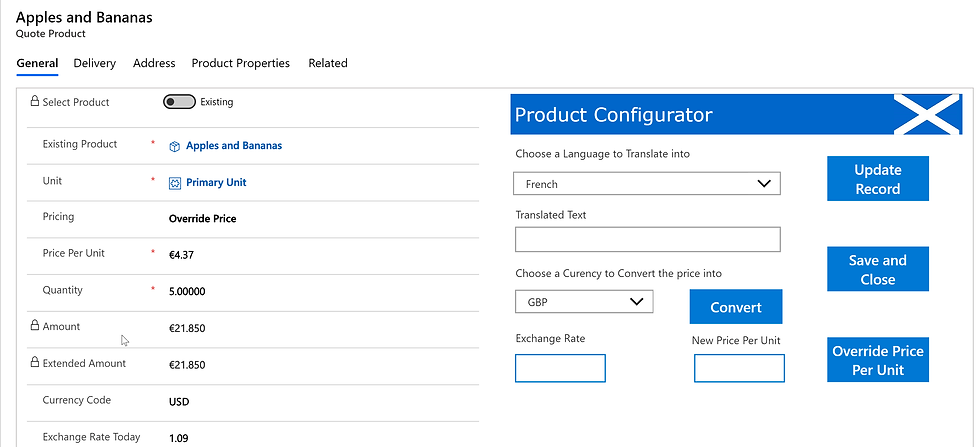
Embedding canvas apps into Model-driven apps unlocks a lot of possibilities. In upcoming posts, I’ll detail how to make the most of this added power!
Ciao for now!
https://casinonieuwe.com the note about required fields being necessary for the canvas app to refresh is the kind of gotcha that saves hours of debugging, since I had assumed any field would work and could not figure out why my app was showing stale data. The ModelDrivenFormIntegration control being tied specifically to this embedding method is another detail worth remembering before building anything outside the form. Still relying on the classic editor for now, which is a bit annoying but manageable.
At https://paysafecardcasino24.de, I’ve been wrestling with a similar canvas app integration for our internal review forms, and the requirement to use the classic form editor is exactly what tripped me up. The tip about putting the control on a required text field rather than a subgrid also rings true—subgrids have caused me endless refresh issues in the past. Curious to see the follow-up posts about making the most of this added power.